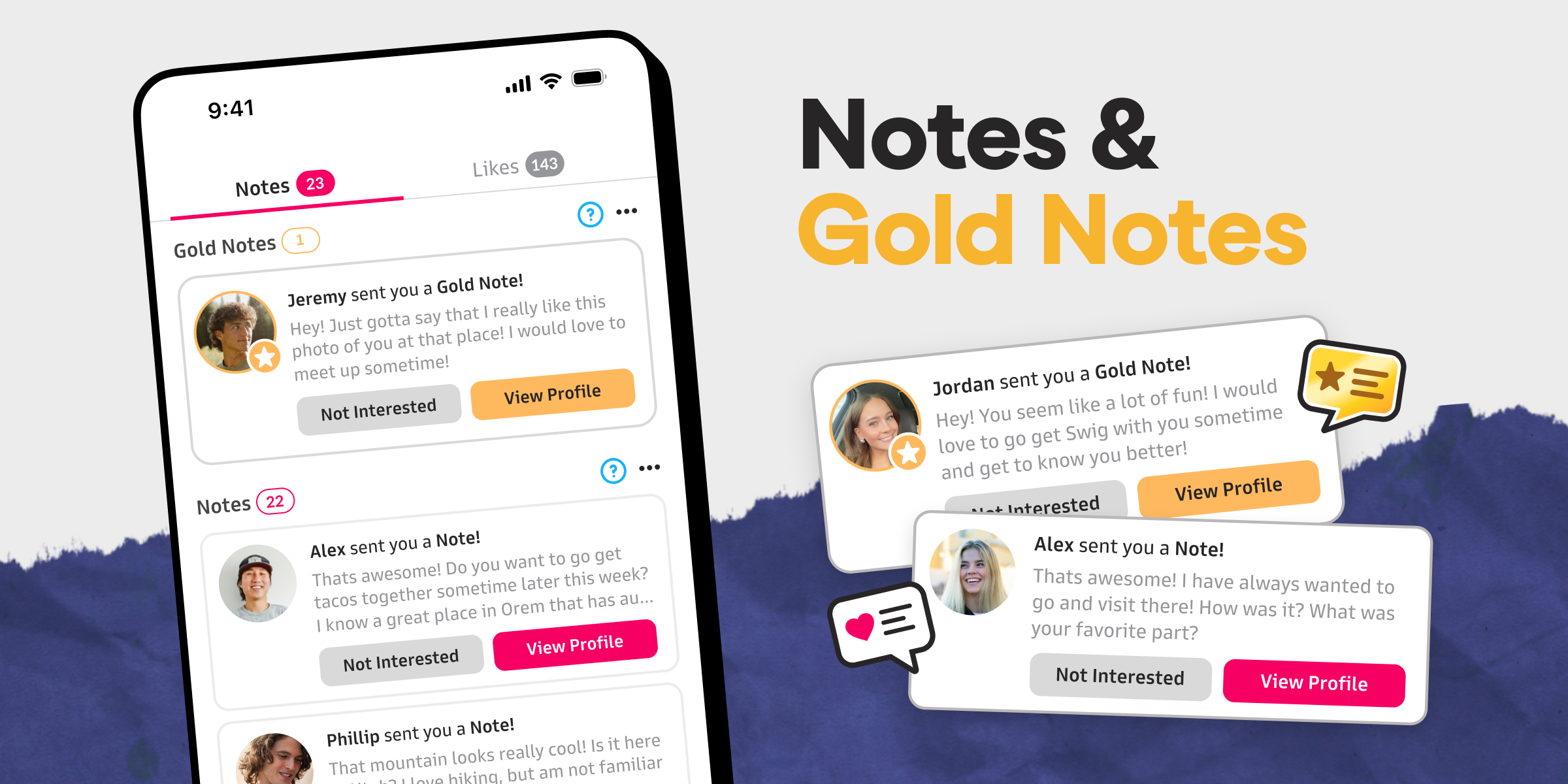
What are Notes?
When you like someone, you can write them a note, which they can read in their Note inbox on the “Likes” tab.
Best Uses of Notes
- Tell someone what you like about them
- Give the recipient more to consider beyond your profile
- Avoid being just another like that doesn’t get noticed
- Increase your chances of matching with someone
- Start a meaningful conversation
What Changed?
“Comments” are now called “Notes” and the upgraded version of a “Note” is now called a “Gold Note.”
How Often Can I Send Them?

Notes
You can send notes for free on as many profiles as you want, up to the daily like limit.

Gold Notes
Free Members get 2 Gold Notes every Monday.
Premium Subscribers get 8 Gold Notes every Monday.
You can check how many notes you have in the Account tab of the app, and buy more if you run out.
How to Send Them?
Tap the heart on someone’s profile to write them a free note!

How Does the Recipient Get Them?
Notes
Are shown to the recipient on the “Notes” screen of the “Likes” tab.
Gold Notes
- Shown at the top of the “Notes” tab
- Recipient is alerted with a push notification of your message
- Recipients can match and reply back to you immediately, whether they have premium or not
Do They Work?
Note are the most powerful way to increase your changes to match with and to have great conversations with people.
Gold Notes are 3X more likely to result in a match, so give them a try!


Leave a Reply